
How to find free stock images and vectors
User guide contents ↓Stock images & vectors (trimto.net/stock-images/) lets you search free photos, SVG vectors, and icons across 5 libraries at once: Unsplash, Pixabay, Openverse, Wikimedia Commons, and Iconify. Stay right on Trimto to check print-ready resolutions and licenses, then download without signing in or click Create print file to send the image directly to Quick Imposition.
Access it from the top navigation bar (Tools → Stock images & vectors) or from the footer.
Before searching: popular assets
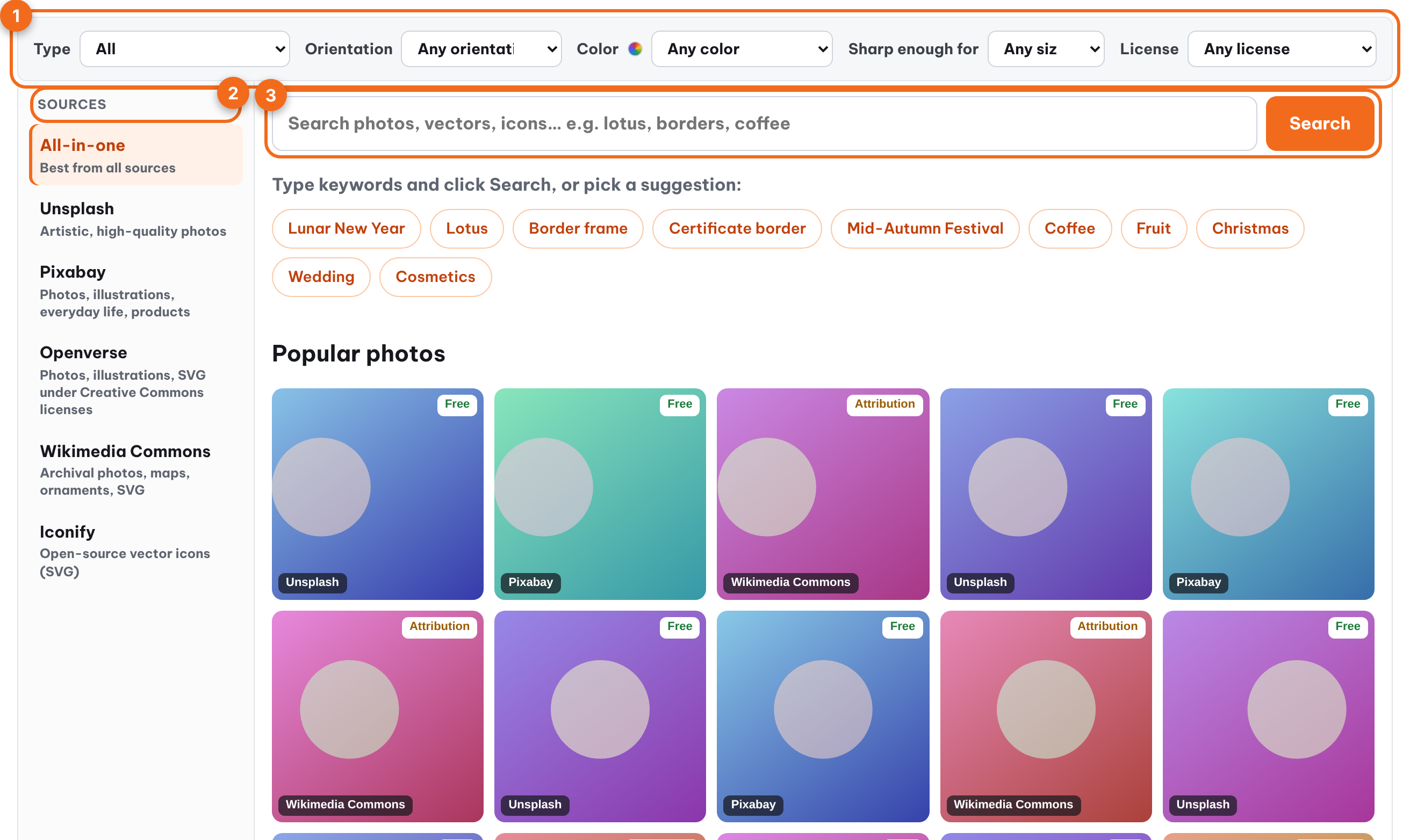
When you first open the page, the grid displays Popular photos (sourced from Unsplash, Pixabay, and Wikimedia Commons) for quick browsing. If you set Type to Vector or Icon, the title switches to Popular vectors / Popular icons. Keyword suggestions appear above the grid—click any suggestion to search immediately.
Searching for images
- Type your keywords into the search bar (e.g., lotus, border frame, coffee) and click Search. You can type in Vietnamese: Trimto automatically searches in English for sources that do not support Vietnamese (a note below the search bar displays the English keywords used).
- Results appear in a 5-column grid. Each card includes a source badge and a license badge: Free, Attribution, or Personal.
- When you reach the bottom of the page, click Next page › at the end of the grid; use ‹ Previous page to go back.
The URL updates with your keywords, source, and active filters, making it easy to share links while keeping browser back/forward buttons working properly.
Source column
| Source | Contents |
|---|---|
| All (default) | Top results across all sources, blended together |
| Unsplash | High-quality artistic photography |
| Pixabay | Photos, illustrations, everyday scenes, and product shots |
| Openverse | Photos, illustrations, and SVGs under Creative Commons licenses (keyword required) |
| Wikimedia Commons | Archival photos, maps, patterns, and SVGs |
| Iconify | Open-source vector (SVG) icons (keyword required) |
Click a source to view only its results. Icons only appear in All when Type = Icon is selected. Sources without assets matching your active type filter are dimmed.
Filters
- Type: Photos, Vector (SVG), Icon.
- Orientation: Landscape, Portrait, Square.
- Color: Dominant image color.
- Sharp for: Only show images sharp enough for 300 dpi print at the selected size (A5 to A0).
- License: Commercial use allowed, or Free with no attribution required.
Details, downloads, and print setup
Click any image to open the detail panel: dimensions, print-ready size at 300 dpi, maximum printable size, creator, license, and attribution text (if required by the license).
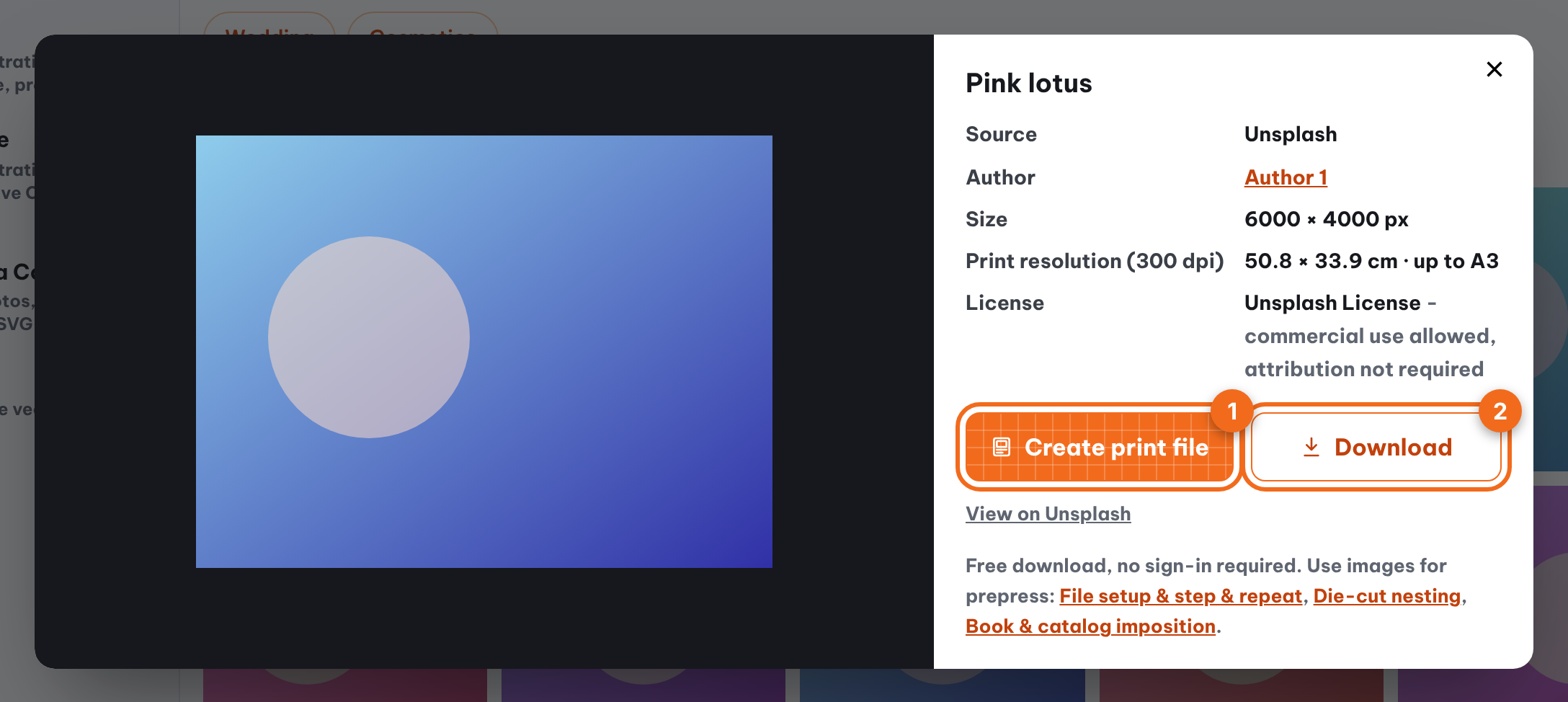
- Create print file: opens Quick Imposition and automatically loads the image into File setup. While fetching the image, the workspace displays Fetching image from Stock…; once loaded, the image becomes a page just like opening a local file. High-resolution images are scaled to a maximum long edge of 3,840 px (plenty for A4 at 300 dpi), and WebP/GIF files are converted to PNG. From there, continue as outlined in Size, rotation, and trim to content.
- Download: save the original file to your computer for free, no sign-in required.
- View on …: open the asset page on the original host website (in a new tab).
License note: assets marked Personal are restricted to non-commercial personal use and cannot be printed for resale. Assets marked Attribution allow commercial use but require author credit; copy the "Attribution" text from the detail panel into your design.
Ready-made topic pages
For seasonal and recurring print jobs, these pages open with a search already running plus product sizes, file tips and search terms for that topic:
- Lunar New Year images & vectors: red envelopes, calendars, greeting cards.
- Lotus photos & vectors: tea packaging, labels, art prints.
- Vector borders & frames: certificates, wedding invitations, wine labels.
- Mid-Autumn Festival vectors & photos: mooncake boxes, gift bags, seal stickers.
FAQ
Is it free, and do I need to sign in? No sign-in is required. Searching and downloading assets from Stock images & vectors is completely free with no account needed. Downloading imposition PDFs in Quick Imposition still requires a free sign in.
Which images are sharp enough for print? Use the Sharp for filter for your target print size, or check the Print-ready (300 dpi) spec in the detail panel. Vector (SVG) files remain crisp at any print size.
Why are Openverse and Iconify empty before searching? Both libraries only return results when a search keyword is provided. Enter a keyword and click Search.
Further reading
- Unsplash, License; Pixabay, Content License Summary; Creative Commons, About CC licenses: what each source allows.