
Booklet imposition on Trimto: drop in your PDF or image pages and they are put in saddle stitch, perfect binding or spiral order, with page numbers, margins and a separate cover. Export print-ready body and cover PDFs for free, right in your browser; files never leave your device.
Features
- Saddle stitch: nested spreads in reader order, auto-padded with blank pages to multiples of 4, with creep compensation for thick booklets
- Perfect binding: cut-and-stack block imposition, spine thickness calculator based on paper stock, and downloadable cover template
- Spiral (wire-o) binding: left-side (notebooks, manuals) or top-edge (calendars) binding with punch margin allowance
- Front cover always printed, optional back cover, and inside cover printing support
- Page numbering starting from cover or body, with optional "Page " prefix
- Single-copy printing with 1 copy per sheet, sheet size recommendations, and interactive 3D virtual flip preview
How it works
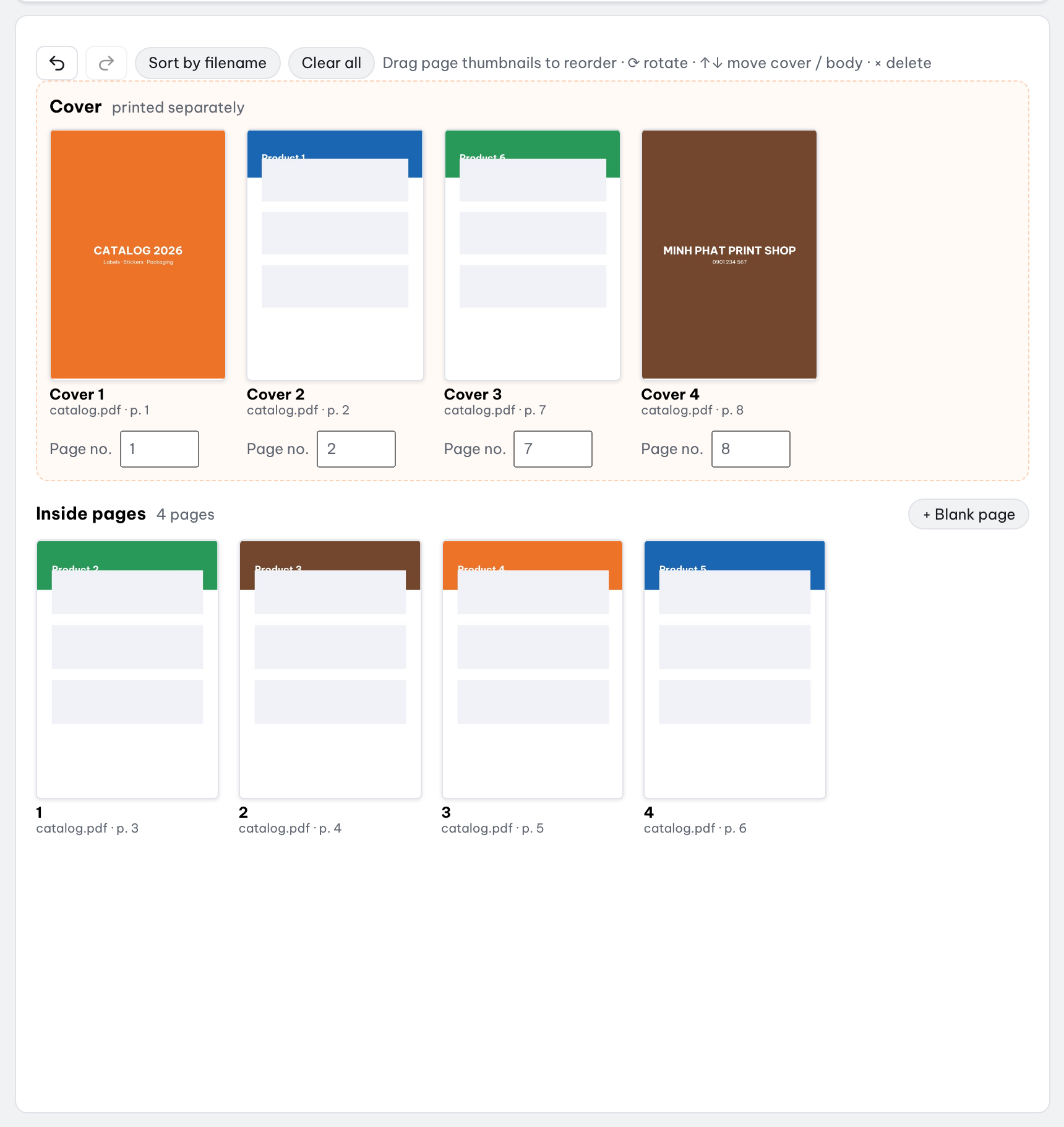
- Open PDF or image pages; files named "cover" are automatically placed on the cover.
- Choose your binding method; drag and drop to reorder pages or remove unwanted files.
- Enable page numbering, gutter margins, or inside cover printing if needed, then click Continue.
- Enter book quantity, select sheet sizes for body and cover, preview layouts, and export body + cover PDFs.
What is booklet imposition?
Imposition is arranging the pages of a book on large press sheets so that, once the sheets are printed on both sides, folded, bound and trimmed, every page lands in reading order. For a booklet, page 1 does not sit next to page 2 on the sheet: on an 8-page saddle-stitched booklet, the outer sheet carries pages 8 and 1 on one side and pages 2 and 7 on the other.
Doing this by hand in InDesign or Acrobat is slow and easy to get wrong, especially when the page count changes. Trimto works out the page order, the blank pages needed, the cover and the sheet layout automatically, and shows a 3D flip-through preview before you print.
Which products to saddle stitch, perfect bind or spiral bind?
The binding depends on page count and how the book is used. Rule of thumb: thin booklets are saddle stitched; thick books that need a printed spine are perfect bound; anything that must lie flat or flip upward is spiral bound.
| Product | Binding | Why |
|---|---|---|
| Catalogs, multi-page brochures, thin magazines | Saddle stitch | Few pages, cheap, fast, opens flat |
| Event programs, multi-page menus, short manuals | Saddle stitch | Thin, large runs |
| Books, novels, textbooks | Perfect binding | Many pages, flat spine for the title |
| Thick catalogs, yearbooks, annual reports | Perfect binding | Thick, looks professional on a shelf |
| Notebooks, journals, workbooks | Spiral, left edge | Lies flat, folds back, easy to write in |
| Training manuals, reports, proposals, restaurant menus | Spiral, left edge | Lies flat on a desk, survives heavy use |
| Wall and desk calendars | Spiral, top edge | Pages flip upward, back side printed upside down |
Booklet layout: saddle stitch page order
A saddle-stitched booklet is made of sheets folded in half, nested inside each other and stapled through the fold. Every sheet holds 4 pages, so the page count must be a multiple of 4; Trimto adds blank pages at the end of the body when it is not. If the file has no separate cover and the page count is already a multiple of 4, the first and last pages are printed as a self-cover with the body.
| Sheet (8-page booklet) | Front side | Back side |
|---|---|---|
| Sheet 1 (outer) | Page 8 | Page 1 | Page 2 | Page 7 |
| Sheet 2 (inner) | Page 6 | Page 3 | Page 4 | Page 5 |
Creep compensation for thick booklets
The more sheets you nest, the further the inner sheets stick out past the cover once the booklet is folded. After trimming, the inner pages lose more of their outer edge than the outer pages do, and page numbers or text near the edge can be cut off.
Enter the body paper thickness (coated 150 gsm is about 0.13 mm) and Trimto moves the content of each inner sheet toward the spine by that amount, keeping the outer sheet in place. A 32-page booklet on 0.1 mm paper has 8 sheets, so the innermost one shifts by 0.7 mm. When the shift goes above 2 mm, Trimto warns you to check text close to the fold.
Perfect binding: spine width and cover with spine
Perfect-bound books are printed as single leaves, cut and stacked, then glued into a cover with a spine. The body only needs an even page count; if it is odd, Trimto adds one blank page at the end.
Spine width equals the number of body leaves times the paper thickness (pages divided by 2, rounded up). Enter "Body paper thickness" and Trimto calculates the spine, lays out back cover | spine | front cover as one flat sheet, and offers "Download cover template with spine (PDF)" so the cover is made to size. If a ready-made cover is a different width, Trimto warns you.
Milling and glue take about 3-5 mm, so set "Spine margin" to shift body content away from the spine. Examples for an A5 book (148 × 210 mm):
| Body | Paper thickness | Spine | Flat cover |
|---|---|---|---|
| 100 pages | 0.1 mm | 5 mm | 301 × 210 mm |
| 200 pages | 0.1 mm | 10 mm | 306 × 210 mm |
| 200 pages | 0.13 mm | 13 mm | 309 × 210 mm |
| 300 pages | 0.08 mm | 12 mm | 308 × 210 mm |
Spiral binding: notebooks, manuals and calendars
Spiral and wire-o binding also use single leaves, cut and stacked; the body only needs an even page count, and the front and back covers are two separate leaves. Pick the binding edge for the product:
- Left edge: notebooks, manuals, reports, workbooks.
- Top edge: wall and desk calendars. Print double-sided flipping on the short edge so the back side reads correctly when the page is flipped up.
- Punch holes take about 8-10 mm along the binding edge: set "Punch margin" to shift content away from it, or 0 if the file already has the margin.
Covers, page numbers and margins
- Files named "cover" go to the cover automatically; the front cover is always printed and the back cover is optional
- Print the inside of the cover (inside front and inside back) or leave it blank
- Page numbers start from the cover or from the first body page, with an optional "Page" prefix; blank pages are not numbered
- Body margins after trimming, and pages that are not the finished size can be scaled to fit or centered
Specifications
| Supported | |
|---|---|
| Input | PDF (multi-page), PNG, JPG; several files at once, sorted by file name |
| Bindings | Saddle stitch, perfect binding, spiral / wire-o (left or top edge) |
| Press sheets | A4, SRA4, A3, SRA3, Letter, Legal, Tabloid, 12×18 in, 13×19 in or a custom size; mm, cm, inch, pt, pica or px |
| Marks | 3 mm bleed by default, crop marks, spine and fold lines in the preview |
| Quantity | Number of copies: one booklet per sheet when you print one copy, so nothing is wasted |
| Output | Separate body and cover PDFs for duplex printing |
Printing the booklet double-sided
Under the sheet preview Trimto shows how to turn the paper for each part: flip on the long edge or on the short edge. Print a test copy on plain paper, fold it and check the page order before the full run. For a single copy Trimto also suggests a smaller sheet (A4 instead of A3) when the spread fits.
Step-by-step guides
Further reading
FAQ
- Do saddle-stitched booklets require total pages in multiples of 4?
- Yes. Every folded signature contains 4 pages. Trimto automatically inserts blank pages at the end of the text block to reach the required multiple.
- What is creep compensation?
- In thick saddle-stitched booklets, nested inner sheets push outward past the cover. Creep compensation progressively shifts inner page content toward the spine based on paper thickness to prevent content from being trimmed off.
- Which way do I flip paper for duplex printing?
- The sheet preview displays the exact tumble orientation (flip on long edge vs. flip on short edge) for both the cover and interior signatures.
- Is the booklet maker really free?
- Yes. Booklet imposition is free with no watermark. Trimto runs in your browser, so your PDF is processed on your own computer and never uploaded.
- What sheet size do I need for an A5 booklet?
- An open A5 spread is A4, so an A5 saddle-stitched booklet prints one spread per side of an A4 sheet, or two copies side by side on A3. Add a little extra (A3+ or a custom size) when you need bleed and crop marks.
- Can I reorder or remove pages before imposing?
- Yes. Drag pages to change their order, mark pages to keep without page numbers, or remove a whole file from the list before you continue.
- How many pages before switching from saddle stitch to perfect binding?
- Saddle stitch suits thin booklets, usually up to about 48-64 pages depending on paper thickness. Thicker than that, the fold bulges and inner sheets creep a lot; use perfect binding, or spiral binding if the book must lie flat.
- How wide is the spine of a perfect-bound book?
- The number of body leaves times the paper thickness. For example, 200 pages on 0.1 mm paper is 100 leaves, a 10 mm spine; the flat A5 cover is 148 + 10 + 148 = 306 mm wide.