
Items per sheet calculator
How many business cards, labels or tickets fit on one sheet of paper? Enter the sheet size and the finished size below, with the unprinted margin and the gap between pieces, to get the pieces per sheet and the number of sheets you need for your quantity.
Open the quick imposition tool →Free · runs in browser · files never leave your device
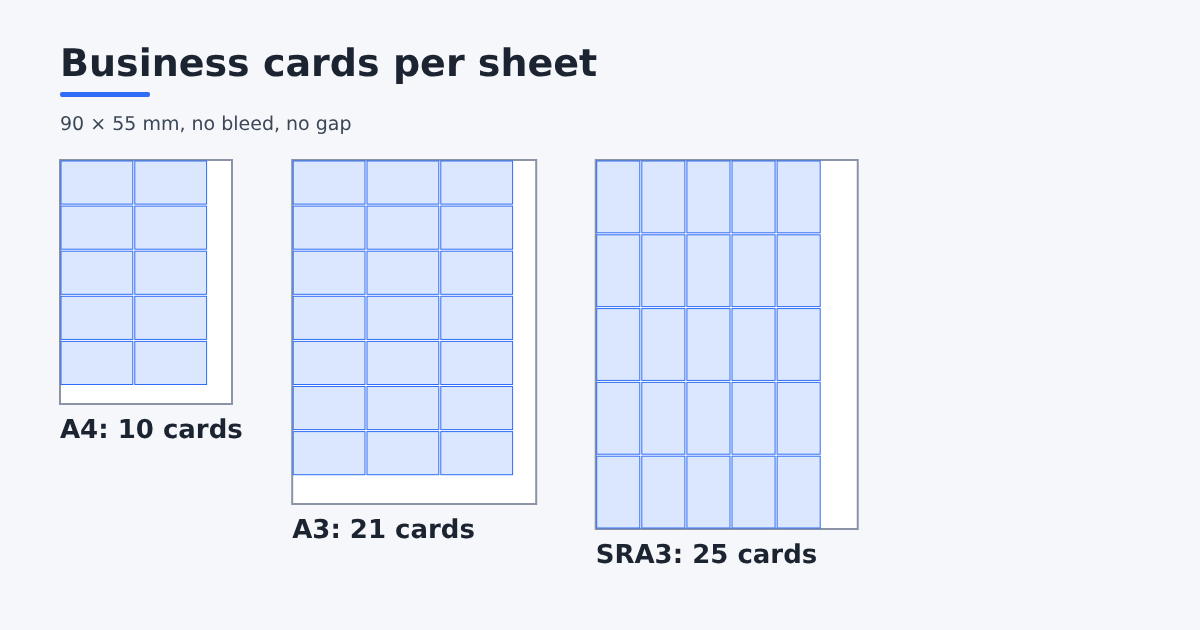
10 pieces per sheet (2 × 5).
Printing 1000 pieces needs at least 100 sheets (always enough or more).
| Layout | Columns × rows | Pieces |
|---|---|---|
| Not rotated | 2 × 5 | 10 |
| Rotated 90° | 3 × 3 | 9 |
This is a straight grid. For round, rounded or mixed shapes Trimto can nest more pieces.
Features
- Tries both orientations: not rotated and rotated 90°, and picks the better one
- Accounts for the unprinted margin around the sheet and the gap between pieces
- Shows columns × rows for each layout
- Works out the sheets needed, always enough or more than the quantity
- For round, rounded or mixed shapes, open the tool and let Trimto nest tighter than a straight grid
How it works
- Enter the sheet size (A4 is 210 × 297 mm) and the finished size (a business card is 90 × 54 mm).
- Enter the unprinted margin around the sheet and the gap between pieces (add bleed if you use it).
- Enter the quantity to find the number of sheets.
- Need a tighter nest or a print PDF? Open the quick imposition tool.
How pieces per sheet are calculated
The calculator divides the printable area (sheet size minus the two margins) by one piece plus the gap, and takes the whole number, giving columns and rows. Pieces per sheet is columns times rows. It also tries the piece rotated 90° and picks the layout with more pieces.
For example, 90 × 54 mm cards on A4 with a 5 mm margin and no gap: not rotated gives 2 × 5 = 10 pieces, rotated 90° gives 3 × 3 = 9, so 10 pieces fit on one sheet.
Bleed and gap
If your piece has bleed, enter the size including bleed on each side, or set the gap between pieces to twice the bleed. For straight cutting, Trimto lets you set positive, zero or negative bleed per job.
Straight grid vs tight nesting
The calculator uses a straight grid, which suits rectangles to be trimmed. For round, rounded or several different designs, the Trimto die-cut nesting tool rotates freely and nests tighter to fit more pieces, always enough or more than the quantity and never short.
Sheets needed
Sheets needed is the quantity divided by pieces per sheet, rounded up, so it is always enough or more. Add spoilage for make-ready and test prints if your printer asks for it.
Step-by-step guides
Further reading
FAQ
- How many business cards fit on an A4 sheet?
- 90 × 54 mm cards on A4 with a 5 mm margin and no gap fit 10 per sheet (2 columns × 5 rows). Enter your own sizes to get an exact count.
- Does it try 90° rotation?
- Yes. It tries both orientations and picks the one with more pieces; on a tie it keeps the piece not rotated.
- Does it handle bleed?
- Enter the finished size including bleed, or set the gap between pieces to twice the bleed.
- Why can the Trimto tool fit more than the calculator?
- The calculator uses a straight grid only. The die-cut nesting tool rotates freely and nests round, rounded or mixed shapes tighter.
- Is the calculator free?
- Yes. It is free and runs in your browser; nothing is sent to a server.