
Print imposition knowledge base
Short explanations with worked numbers. Pick a topic below: each one starts with a foundation article and links to the free tool so you can try it right away.
Imposition & layout
3 articlesArranging pages and copies on the press sheet so they print, fold and cut right with less waste.
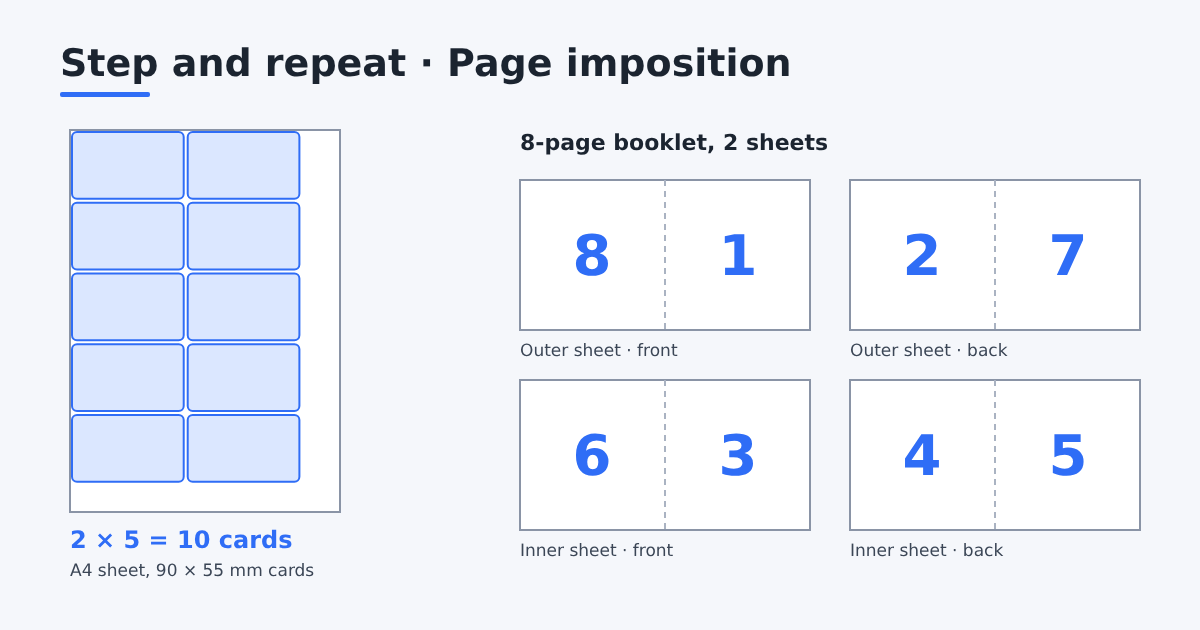 Start hereWhat is imposition in printing? A plain guideImposition is arranging pages or copies on a press sheet so they print, fold and cut correctly. Learn the basics with a booklet and a business card example.
- Print layout: how to lay out labels, cards, pages
What print layout means for labels, stickers, business cards, booklets, brochures and zines: how each is laid out on the press sheet, with real examples.
- How many business cards fit on A4, A3, SRA3?
How many business cards fit on A4, A3, SRA3, Letter and Tabloid sheets, with and without 3 mm bleed, for 90 × 55 mm and 3.5 × 2 in cards.
Related tool: Quick imposition →
Prepress & file setup
4 articlesChecking a file before print: size, bleed, safe area, color, fonts and printer’s marks.
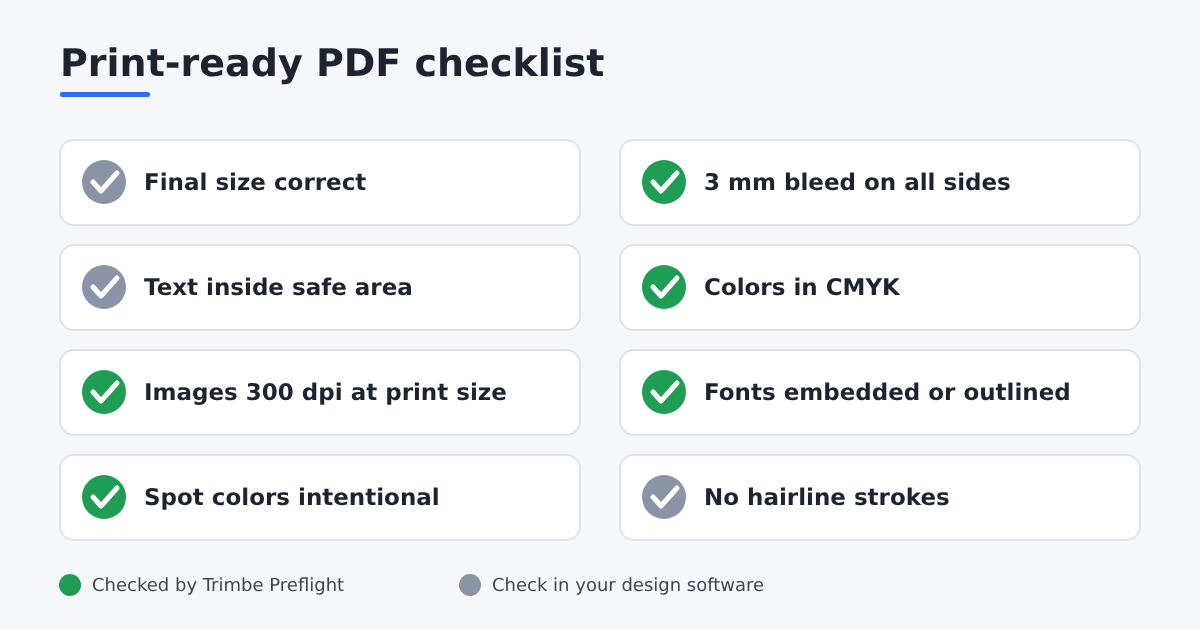 Start hereWhat is prepress? Workflow, checklist and toolsA complete guide to print prepress: history, modern workflow stages, essential preflight checklist, key technical terms, and where Trimto fits.
- Prepress checklist: is your PDF print-ready?
A prepress checklist for print-ready PDFs: size, bleed, safe area, CMYK, image resolution, fonts, spot colors. Which items Trimto checks for you.
- Bleed, trim and safe area explained (mm and inches)
What bleed, trim line and safe area mean, the usual sizes (3 mm or 0.125 in), and what to do when your file has no bleed.
- Crop marks, registration marks and color bars
What crop marks, registration marks, color bars and the info line are, where they sit on a press sheet, and how to add them to a PDF for free.
Related tool: File setup →
Binding & booklets
2 articlesChoosing a binding and handling the problems specific to booklets.
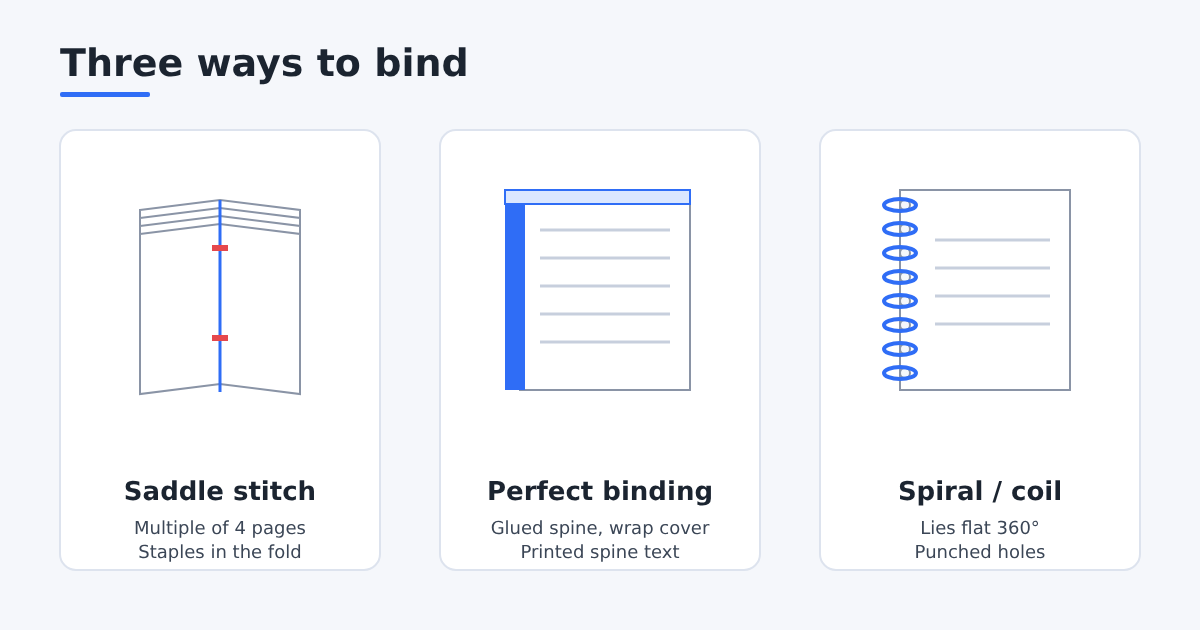 Start hereSaddle stitch vs perfect binding vs spiral bindingCompare saddle stitch, perfect binding and spiral (coil) binding by page count, look, cost and lay-flat, and how each changes page layout.
- What is creep in booklet printing and how to fix it
Creep is the outward shift of inner pages in a saddle-stitched booklet. See a worked example and how to compensate with a mm-per-sheet setting.
Related tool: Book imposition →
Cutting, die-cut & numbering
2 articlesAfter printing: die-cutting labels, stack cutting and keeping numbers in order.
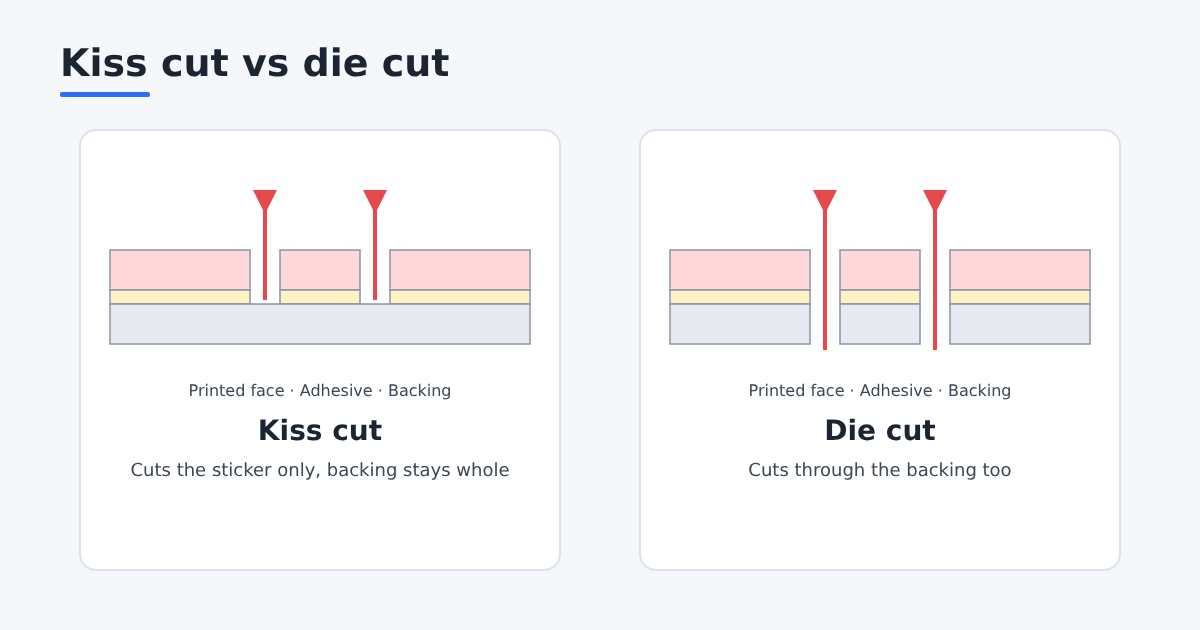 Start hereKiss cut vs die cut stickers and CutContour linesKiss cut cuts only the sticker layer, die cut cuts through the backing too. Learn the difference and how a CutContour cut line is prepared.
- Cut and stack numbering explained
Cut and stack numbering keeps tickets, forms and labels in sequence after cutting. See how it differs from by-sheet numbering, with a worked example.
Related tool: Die-cut nesting →
Software & comparisons
3 articlesWhich tool to impose with, and what each one is good for.
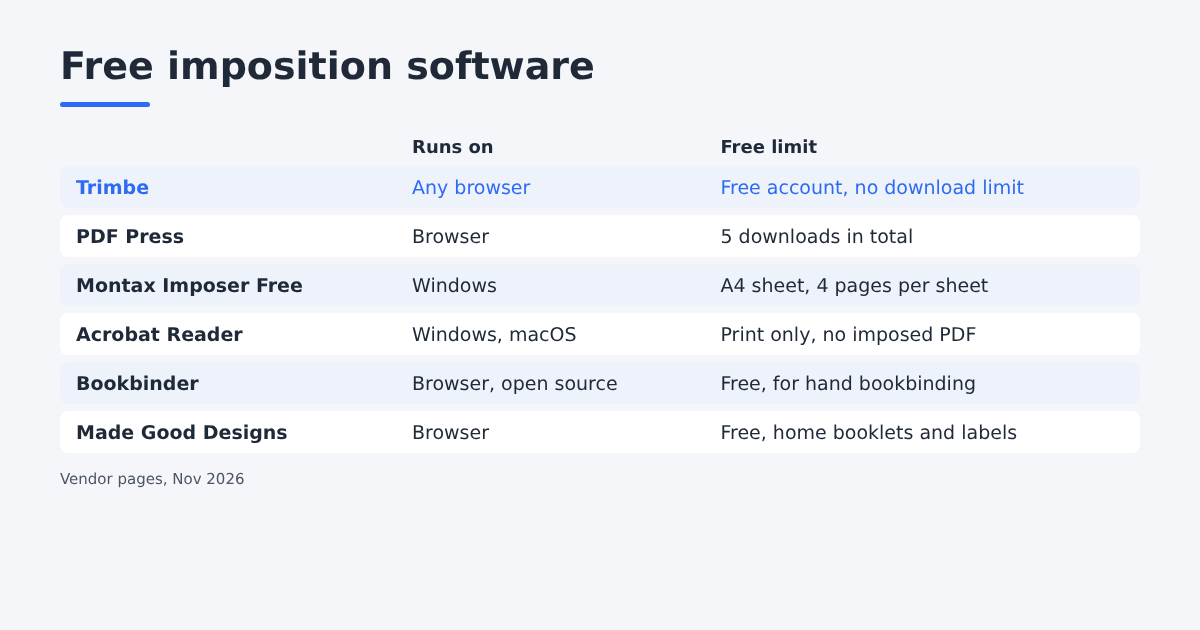 Start hereFree imposition software: 6 options comparedFree imposition software compared: Trimto, PDF Press, Montax Imposer Free, Acrobat Reader, Bookbinder and Made Good Designs. Limits, platforms and best uses.
- How to impose in InDesign, Illustrator, Acrobat
How to do imposition in InDesign, Illustrator, Acrobat and CorelDRAW: booklets, n-up and step and repeat, what each one can't do, and a faster free option.
- Trimto vs Quite Imposing Plus: an honest comparison
Trimto vs Quite Imposing Plus: a browser tool for labels, stickers and booklets compared with the Acrobat imposition plug-in, with sources.
Related tool: Trimto →