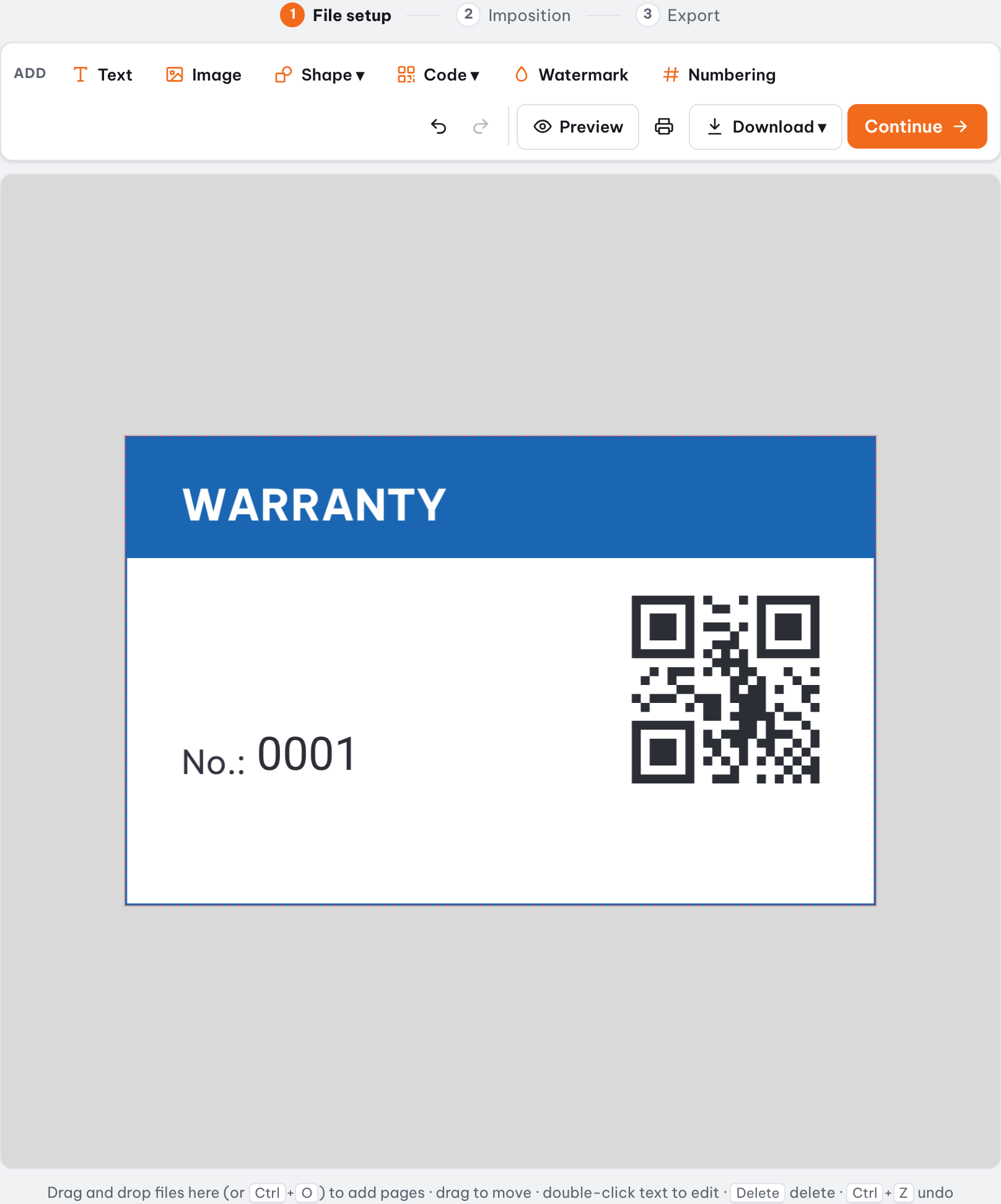

An 8-page mini zine is a small booklet made from a single sheet of paper: print one side, fold, make one cut across the middle and push the ends together. Drop in an 8-page file and Trimto places the pages in the 8 cells in the right order, rotates the top row and adds fold and cut lines. Export a free PDF; your files are processed on your own device.
Features
- Lay out 8 pages on one landscape sheet in the right order and direction
- The top row is rotated 180° so every page reads upright once folded
- Dashed fold lines and a solid cut line: full sheet, edge ticks only or hidden
- Adjustable safe margin for office printers that cannot print to the edge
- Letter, A4, Tabloid, A3 or a custom size; pages with other proportions are fitted or centered
- Download a template with 8 cells at the exact size to draw your own zine
How it works
- Open an 8-page PDF or images (page 1 is the front cover, page 8 the back cover).
- Choose "8-page mini zine" and adjust the safe margin and guide lines if needed.
- Click Continue, pick the sheet size and preview the printed sheet.
- Export the PDF or print one-sided at 100%, then fold and cut as shown.
What is an 8-page mini zine?
A zine is a small self-published booklet: comics, poems, photos, music, a notebook. The 8-page version is the simplest: one sheet of Letter or A4 paper and a pair of scissors, no staples and no glue.
The hard part is placing 8 pages on the sheet: half of them must be upside down and the order is not sequential. Trimto does that for you: you only need 8 pages in reading order.
The 8-cell layout and page order
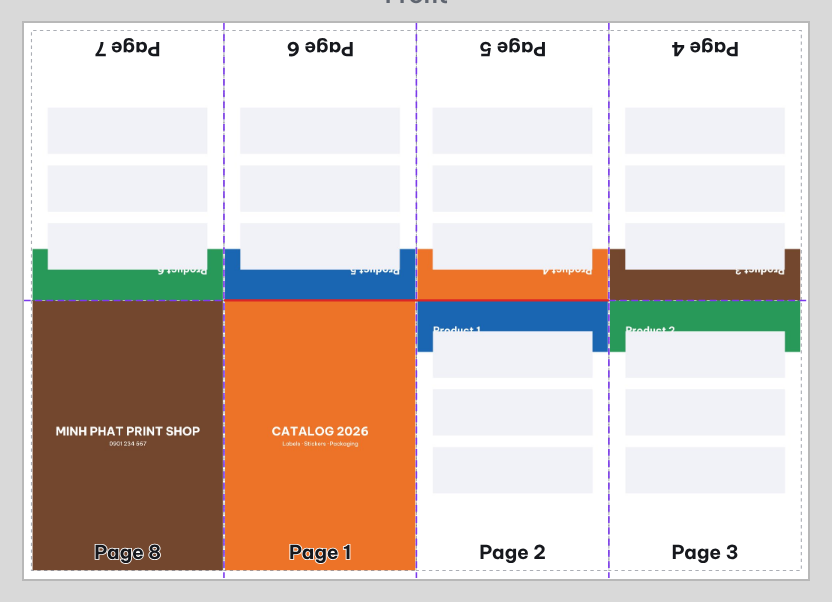
With the sheet landscape, left to right:
- Page 1 is the front cover and page 8 is the back cover.
- The pairs 8 | 1, 2 | 3, 4 | 5 and 6 | 7 sit side by side on the sheet, exactly as they do when the booklet is open.
- With fewer than 8 pages the missing cells stay blank; with more, Trimto uses the first 8 pages and tells you.
| Row | Page direction | Page order |
|---|---|---|
| Top row | Rotated 180° | 7 | 6 | 5 | 4 |
| Bottom row | Upright | 8 | 1 | 2 | 3 |
How to fold and cut the zine
- Print one-sided at actual size (100%); do not choose "Fit to page".
- Fold the sheet in half across and unfold; fold it in half the other way and unfold; then fold each half to the center crease so you have all 3 vertical creases.
- Cut along the center crease, only the solid line across the two middle cells (do not cut to the edge of the paper).
- Unfold, fold lengthwise and push the two ends together so the slit opens into a cross shape; crease it flat and the 8-page booklet is done.
Paper size and page size
With a 4 mm safe margin each cell is the size below (design your pages at this proportion; other proportions are fitted to the cell or centered):
| Paper (landscape) | Sheet size | Each page |
|---|---|---|
| Letter | 11 × 8.5 in (279.4 × 215.9 mm) | 2.67 × 4.09 in (67.9 × 104 mm) |
| A4 | 297 × 210 mm | 72.3 × 101 mm (2.84 × 3.98 in) |
| Tabloid | 17 × 11 in (431.8 × 279.4 mm) | 4.17 × 5.34 in (106 × 135.7 mm) |
| A3 | 420 × 297 mm | 103 × 144.5 mm (4.06 × 5.69 in) |
How do I design the 8 pages?
Click "Download 8-cell template (PDF)" to get an 8-page file at the exact size of each cell, numbered 1 to 8; draw each page in your usual app and load it back into Trimto. Office printers usually cannot print to the very edge, so keep important content a few millimeters inside each page.
For a zine longer than 8 pages (16, 24, 32 pages…) choose "Saddle stitch" in Book Imposition: the folded sheets nest inside each other and are stapled along the spine.
Step-by-step guides
Further reading
FAQ
- How many pages does an 8-page mini zine need?
- Exactly 8 pages in reading order: page 1 is the front cover and page 8 the back cover. It can be one 8-page PDF or several files and images. Missing pages leave blank cells; extra pages beyond 8 are skipped.
- Why is the top row of the sheet upside down?
- Because the top half of the sheet folds down. Rotating the top row 180° means that after folding and cutting all 8 pages read upright. It is the standard one-sheet zine layout.
- Which paper size should I use and how big is each page?
- Any size works and the sheet is always landscape. Letter gives 68 × 104 mm pages and A4 gives 72 × 101 mm pages (with a 4 mm safe margin). Larger paper such as Tabloid or A3 makes a bigger zine.
- What if my zine has more than 8 pages?
- Use "Saddle stitch" in Book Imposition: sheets are folded in half, nested and stapled on the spine, and the page count is a multiple of 4. The mini zine is for a booklet made from one single sheet.
- Is the mini zine maker free?
- Yes. Laying out the pages, downloading the template and exporting the PDF are free and not watermarked. Files are processed in your browser and never uploaded to a server.